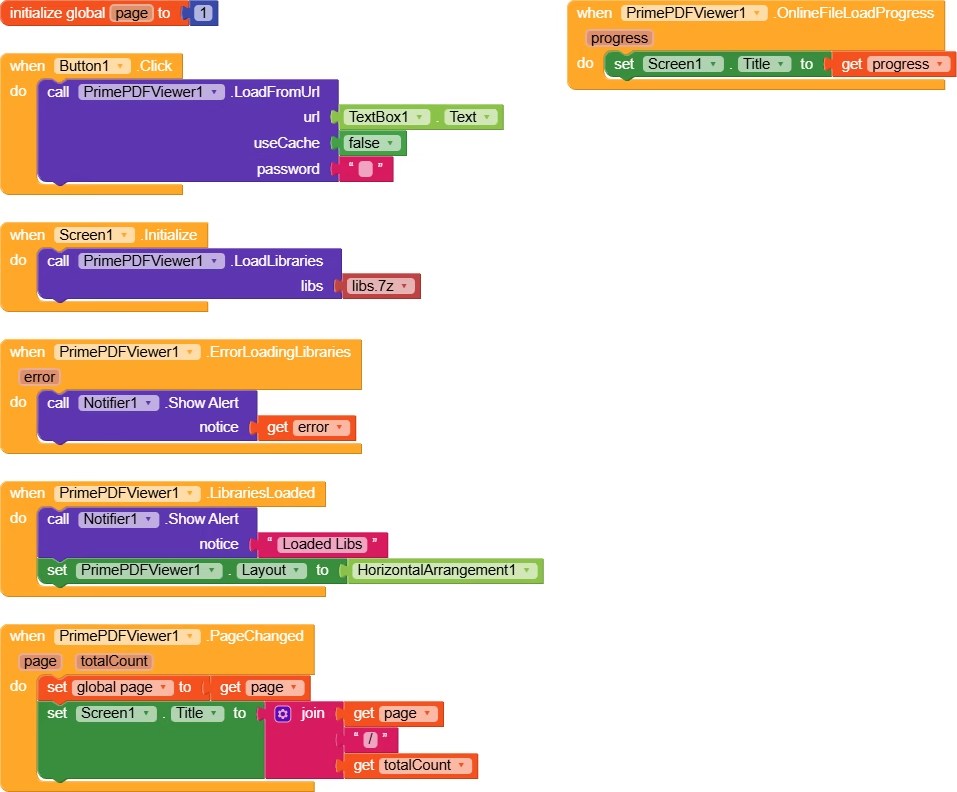
PrimePDFViewer is an extension that allows you to seamlessly integrate PDF viewing functionality into your app without the need for a web viewer. With a range of customizable options, you can enhance the user experience of viewing PDF files within your application.
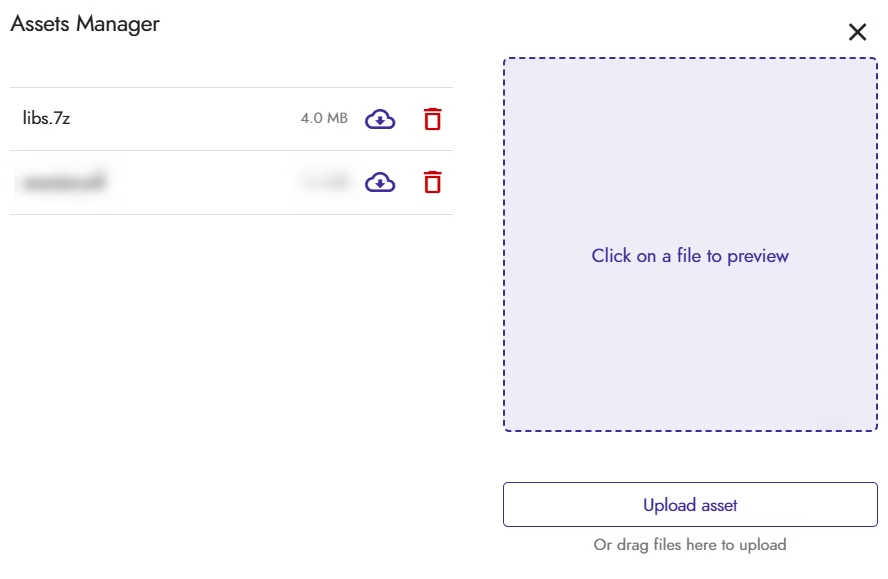
Note: This extension requires you to upload a zip file in your app’s asset directory that is of about 4MB. Extension itself is of 1.4MB approx. So kindly make sure that the builder you are using supports the upload of high size assets.
Events
LibrariesLoaded
Event triggered when all the native libraries were loaded successfully.
ErrorLoadingLibraries
Event triggered when an error was encountered while loading the native libraries.
Parameter
Type
error
text
FileLoaded
Event triggered when the PDF file is loaded.
Parameter
Type
totalPages
number
ErrorOccurred
Event triggered when an error occurred while loading PDF files.
Parameter
Type
error
text
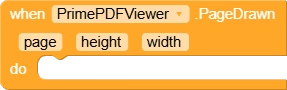
PageDrawn
Event triggered when a page is rendered.
Parameter
Type
page
number
height
number
width
number
AllPagesDrawn
Event triggered when all pages are drawn.
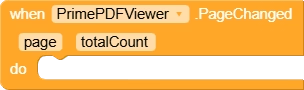
PageChanged
Event triggered when the current page has changed.
Parameter
Type
page
number
totalCount
number
PageScrolled
Event triggered when pdf view was scrolled.
Parameter
Type
page
number
positionOffset
number
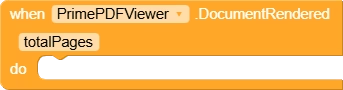
DocumentRendered
Event triggered when the whole document is successfully rendered.
Parameter
Type
totalPages
number
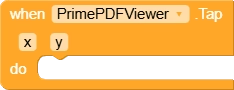
Tap
Event triggered when the user tapped on a point in the pdf view.
Parameter
Type
x
number
y
number
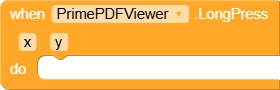
LongPress
Event triggered when the user long clicked at a point in the pdf view.
Parameter
Type
x
number
y
number
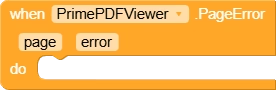
PageError
Event triggered when an error was encountered while loading the page.
Parameter
Type
page
number
error
text
LinkClicked
Event triggered when the user clicked on a link present in the pdf.
Parameter
Type
link
text
SelectionChanged
Event triggered when selection for PDFView’s Page has changed.
Parameter
Type
hasSelection
boolean
GotMetadata
Event triggered when the metadata from the current PDF File is retrieved. NOTE : All the values will be empty if no metadata is present in the PDF File.
Parameter
Type
title
text
author
text
subject
text
keywords
text
creator
text
producer
text
creationDate
text
modDate
text
GotLinks
Event triggered when the list of links present in the PDF Page are retrieved successfully.
Parameter
Type
page
number
links
list
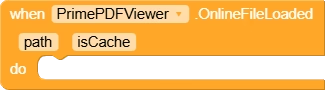
OnlineFileLoaded
Event triggered when online file is loaded successfully. NOTE: This event just indicates that the file is successfully downloaded. This doesn’t indicate that the pdf is loaded successfully. Use the PagesLoaded() to check when the page is successfully rendered and shown in PDFView.
Parameter
Type
path
text
isCache
boolean
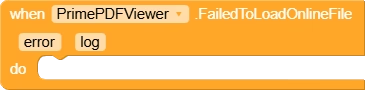
FailedToLoadOnlineFile
Event triggered when an error was encountered while downloading online file.
Parameter
Type
error
text
log
text
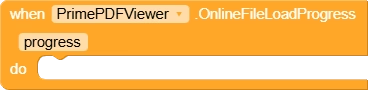
OnlineFileLoadProgress
Event triggered when the progress for downloading of online PDF file changed.
Parameter
Type
progress
number
Methods
LoadLibraries
Loads the native libraries required by the extension.
Parameter
Type
libs
text
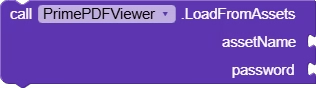
LoadFromAssets
Loads a pdf file from assets. NOTE : Leave password blank if not applicable.
Parameter
Type
assetName
text
password
text
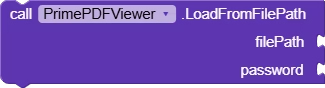
LoadFromFilePath
Loads a pdf file from file path. NOTE : Leave password blank if not applicable.
Parameter
Type
filePath
text
password
text
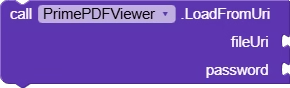
LoadFromUri
Loads a pdf file from provided uri. NOTE : Leave password blank if not applicable.
Parameter
Type
fileUri
text
password
text
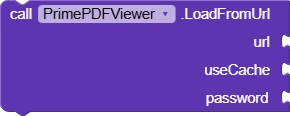
LoadFromUrl
Loads a pdf file from online url. NOTE : Leave password blank if not applicable.
Parameter
Type
url
text
useCache
boolean
password
text
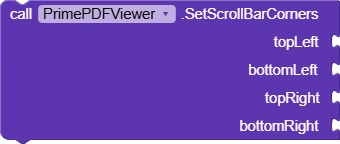
SetScrollBarCorners
Sets the corner radius for scrollbar used in the PDFView.
Parameter
Type
topLeft
number
bottomLeft
number
topRight
number
bottomRight
number
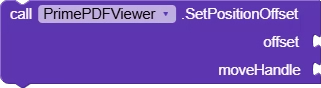
SetPositionOffset
Sets the position offset of the PDFView with an ability to specify whether the handle should also be moved.
Parameter
Type
offset
number
moveHandle
boolean
StopFling
Stops fling animation in the PDFView.
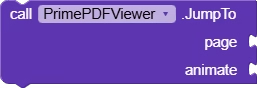
JumpTo
Jumps to the provided page. If animate is enabled, the process is performed in an animated way.
Parameter
Type
page
number
animate
boolean
Recycle
Resets the PDF View. Removes the currently loaded PDF.
LoadPages
Reloads the pages of PDF.
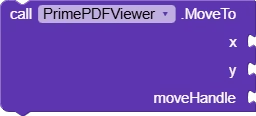
MoveTo
Moves to the provided x and y offset.
Parameter
Type
x
number
y
number
moveHandle
boolean
PerformPageSnap
Performs snap for pages of the loaded pdf.
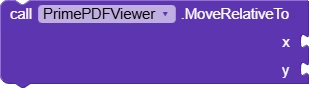
MoveRelativeTo
Moves with the provided values with current offset.
Parameter
Type
x
number
y
number
Zoom
Zooms to the current PDF Page with the specified amount.
Parameter
Type
zoom
number
FitToWidth
Fits the page to full width.
Parameter
Type
page
number
GetPageHeight
Returns the height of page at provided number.
Parameter
Type
page
number
Return Type: number
GetPageWidth
Returns the width of page at provided number.
Parameter
Type
page
number
Return Type: number
ToRealScale
Converts the provided size to real scale.
Parameter
Type
size
number
Return Type: number
ToCurrentScale
Converts the provided size to current scale.
Parameter
Type
size
number
Return Type: number
ResetZoom
Resets the zoom. The action is performed is performed in an animated way if true is provided for the parameter named ‘animate’.
Parameter
Type
animate
boolean
ZoomWithAnimation
Zooms in with the provided scale.
Parameter
Type
scale
number
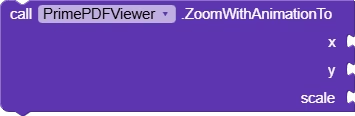
ZoomWithAnimationTo
Zooms to the provided x and y points.
Parameter
Type
x
number
y
number
scale
number
GetPageAtPositionOffset
Gets the page present at the provided position offset.
Parameter
Type
offset
number
Return Type: number
GetPdfMetadata
Gets the metadata from the provided PDF File.
GetLinksAt
Gets a list of links present in the provided PDF Page.
Parameter
Type
page
number
GetSelection
Returns the current selected text in the PDFView.
Return Type: text
HasSelection
Returns if the PDFView has text selected.
Return Type: boolean
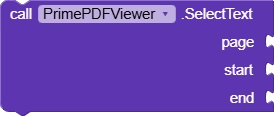
SelectText
Selects the text on provided page from provided start and end index.
Parameter
Type
page
number
start
number
end
number
IsCachedLocally
Returns if the cached pdf file for provided url is available.
Parameter
Type
url
text
Return Type: boolean
GetFilePathForCache
Returns path for cached pdf file of provided url. Returns empty text if no cache is available.
Parameter
Type
url
text
Return Type: text
ClearCacheForUrl
Deletes the cache for provided url (if available).
Parameter
Type
url
text
ClearSelection
Clears the currently selected text on pdf page.
StopSearch
Stops the search in the PDFView.
GoToPrevious
Move to previous result of the search.
GoToNext
Move to next result of the search.
Search
Search for the provided text in the PDFView.
Parameter
Type
text
text
RedrawSearch
Redraws the selection and search layout.
Properties
Layout
Sets the layout for showing the PDFView.
BackgroundColor
Returns the background color for the PDFView
BackgroundColor
Returns the background color for the PDFView
SelectionColor
Returns the color used for selection of text in PDFView.
SelectionColor
Returns the color used for selection of text in PDFView.
SelectionHandleColor
Returns the color used for selection handle of text in PDFView.
SelectionHandleColor
Returns the color used for selection handle of text in PDFView.
SearchResultHighlightColor
Returns the color used for the highlighting of search results in PDFView.
SearchResultHighlightColor
Returns the color used for the highlighting of search results in PDFView.
ScrollBarColor
Returns the color of the scrollbar shown in PDFView.
ScrollBarColor
Returns the color of the scrollbar shown in PDFView.
ScrollBarStrokeColor
Returns the color of the stroke of the scrollbar shown in PDFView.
ScrollBarStrokeColor
Returns the color of the stroke of the scrollbar shown in PDFView.
ScrollBarTextColor
Returns the color of the text of the scrollbar shown in PDFView.
ScrollBarTextColor
Returns the color of the text of the scrollbar shown in PDFView.
ScrollBarStrokeWidth
Returns the width for the stroke of scrollbar shown in PDFView.
ScrollBarStrokeWidth
Returns the width for the stroke of scrollbar shown in PDFView.
PositionOffset
Returns the current position offset of the PDFView.
PositionOffset
Returns the current position offset of the PDFView.
PageCount
Returns the page count of the currently loaded file in the PDFView.
SwipeEnabled
Returns if swipe is enabled in the PDFView.
SwipeEnabled
Returns if swipe is enabled in the PDFView.
NightMode
Returns if night mode is enabled in the PDFView.
NightMode
Returns if night mode is enabled in the PDFView.
DoubleTapEnabled
Returns if double tap to zoom is enabled.
DoubleTapEnabled
Returns if double tap to zoom is enabled.
Recycled
Returns if the PDF View is recycled.
PageFillsScreen
Returns if the currently loaded page fills the screen.
DocumentFillsView
Returns if the currently loaded PDF fills the layout.
CurrentPage
Returns the page being currently shown in the PDFView.
CurrentXOffset
Returns the current x offset of PDF View.
CurrentYOffset
Returns the current y offset of PDF View.
Zoom
Returns the zoom amount of the PDF View.
Zooming
Returns if the user is currently zooming in the PDF View.
DefaultPage
Sets the default page for the PDFView.
MinZoom
Returns the minimum zoom for PDF View.
MinZoom
Returns the minimum zoom for PDF View.
MidZoom
Returns the mid zoom for PDF View.
MidZoom
Returns the mid zoom for PDF View.
MaxZoom
Returns the maximum zoom for PDF View.
MaxZoom
Returns the maximum zoom for PDF View.
UseBestQuality
Returns if the pages are being loaded in the best quality.
UseBestQuality
Returns if the pages are being loaded in the best quality.
SwipeOrientation
Returns the swipe orientation for the PDFView.
SwipeOrientation
Returns the swipe orientation for the PDFView.
AnnotationRenderingEnabled
Return if the PDF View should render annotations.
AnnotationRenderingEnabled
Return if the PDF View should render annotations.
RenderDuringScale
Returns if PDF View will render pages even during scale.
RenderDuringScale
Returns if PDF View will render pages even during scale.
AntiAliasing
Returns if anti aliasing is enabled for the PDF View.
AntiAliasing
Returns if anti aliasing is enabled for the PDF View.
AutoSpacing
Returns if auto-spacing for PDF pages should be enabled.
AutoSpacing
Returns if auto-spacing for PDF pages should be enabled.
Spacing
Returns the amount of spacing between PDF Pages.
Spacing
Returns the amount of spacing between PDF Pages.
PageFling
Returns if fling is enabled for PDF Pages.
PageFling
Returns if fling is enabled for PDF Pages.
FitPolicy
Returns the policy used for fitting the pdf pages.
FitPolicy
Returns the policy used for fitting the pdf pages.
FitEachPage
Returns if PDF View is fitting each page.
FitEachPage
Returns if PDF View is fitting each page.
PageSnap
Returns if snapping is enabled for PDF Pages.
PageSnap
Returns if snapping is enabled for PDF Pages.
LongPressEnabled
Returns if long press is enabled for the PDFView..
LongPressEnabled
Returns if long press is enabled for the PDFView..
TextSelectable
Returns if the text of the page is selectable.
TextSelectable
Returns if the text of the page is selectable.
PaddingTop
Returns the top padding for the PDFView.
PaddingTop
Returns the top padding for the PDFView.
PaddingBottom
Returns the bottom padding for the PDFView.
PaddingBottom
Returns the bottom padding for the PDFView.
ScrollBarEnabled
Returns if scrollbar for the PDFView should be enabled.
ScrollBarEnabled
Returns if scrollbar for the PDFView should be enabled.
Hi, I’m Akshat — a passionate app developer and creator of AkshatDeveloper.in. I share practical, easy-to-follow tutorials to help developers of all levels build real-world applications.
My goal is to simplify complex concepts and make learning app development engaging and accessible. Whether you’re just starting out or looking to level up your skills, you’ll find useful insights here.